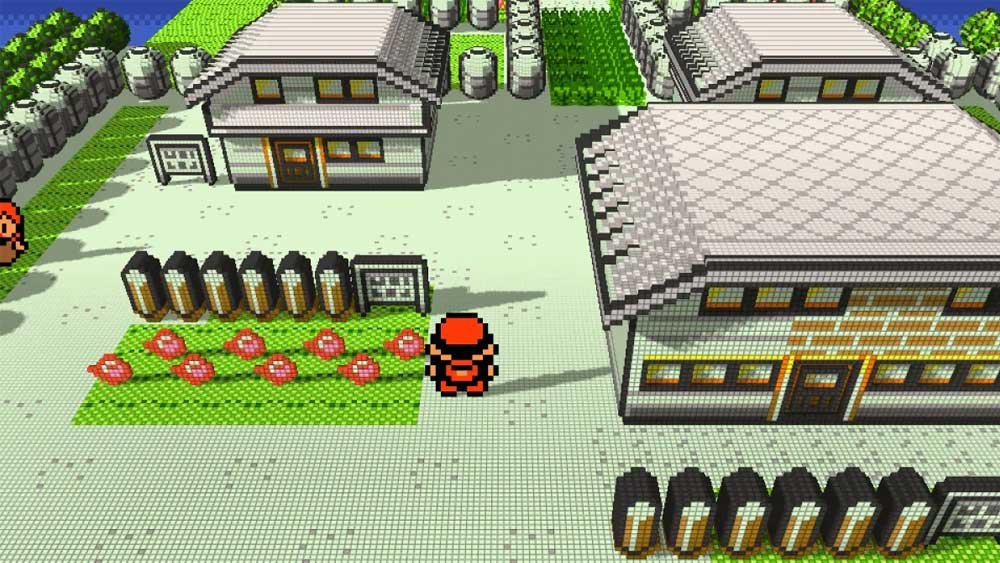
Recompiling 8-bit classics and transforming them into three-dimensional ecosystems used to require years of reverse engineering and manual rework. Today, the modding community has turned this into a practical reality. The process utilizes the Gen1Recomp tool, developed by Brian the Boy (bryanthaboi), combined with the Dramatic Shape voxel mod, allowing you to convert the classic 2D sprites from Pokémon Red, Blue, and Yellow into a dynamic three-dimensional environment.
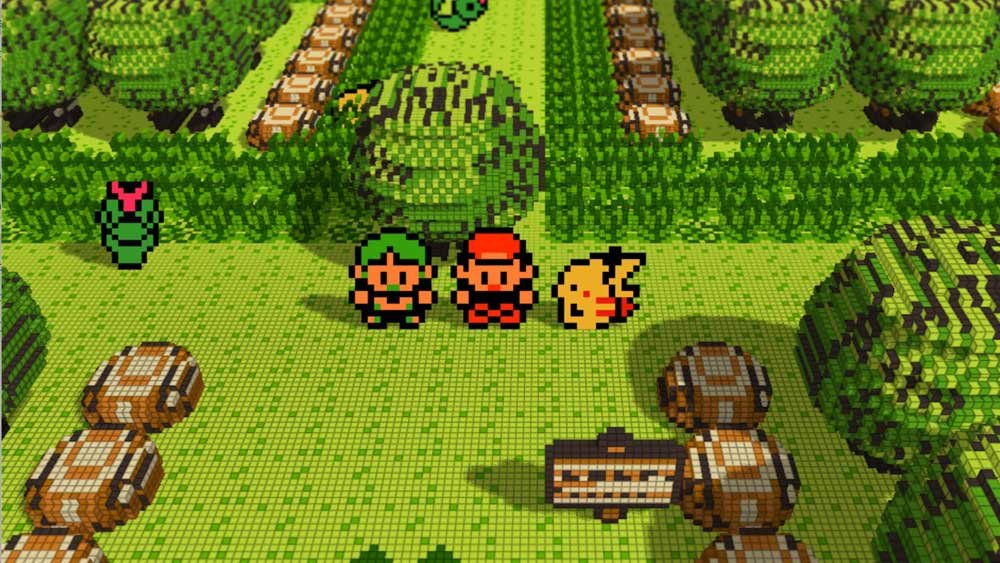
Below, you will find the complete article featuring all technical specifications, battle rules tables, direct download links for the latest build, and step-by-step setup guides for PC (Windows/Mac/Linux), Android, iOS, Xbox, Nintendo Switch, and handheld consoles.
Downloads & Official Project Files
All official project binaries are centralized within the developer’s main repository. Access the latest official release assets via the GitHub link below:
Official Download Page: GitHub Releases – Gen1Recomp v0.1.91
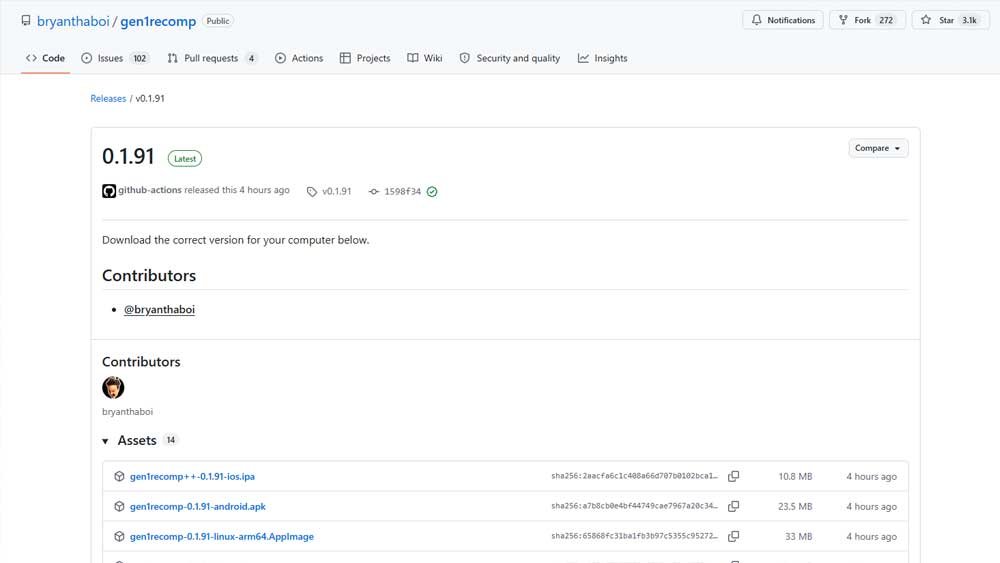
Available Files List by Platform:
- Windows:
gen1recomp-0.1.91-windows.zip - Android:
gen1recomp-0.1.91-android.apk - iOS:
gen1recomp++-0.1.91-ios.ipa - macOS:
gen1recomp-0.1.91-macos.zip - Linux (x86_64):
gen1recomp-0.1.91-linux.zip - Linux ARM64 (Raspberry Pi / SBCs):
gen1recomp-0.1.91-linux-arm64.AppImage - Nintendo Switch:
gen1recomp-0.1.91-switch.zip - Xbox (One / Series – Dev Mode):
gen1recomp-0.1.91-xbox-uwp.zip - Anbernic RG34XXSP (Stock OS 64-bit MOD):
gen1recomp-0.1.91-rg34xxsp-stockos64-mod.zip - Handheld Devices (PortMaster):
gen1recomp-0.1.91-sbc-portmaster.zip - Universal LÖVE2D Package:
gen1recomp-0.1.91.love - Integrity Verification:
sha256sums.txt - Source Code: Source code (
.zip) / Source code (.tar.gz)
What is Gen1Recomp and How Does It Work?
Gen1Recomp is not an emulator, does not transpile assembly at runtime, and does not download decompiled assets. It operates as a native game engine that uses the original ROM exclusively for input game data (assets).
- Verification and Security: The original ROM (1 MiB for Gen 1 or 2 MiB for Gen 2) is verified via SHA-1 hash upon import. The application extracts the required data and creates a private cache. The ROM is never copied into the cache and is cleared from memory immediately. On future launches, the app loads the generated data without prompting for the
.gbfile again. - Accepted SHA-1 Hashes:
- Red:
ea9bcae617fdf159b045185467ae58b2e4a48b9a - Blue:
d7037c83e1ae5b39bde3c30787637ba1d4c48ce2 - Yellow:
cc7d03262ebfaf2f06772c1a480c7d9d5f4a38e1 - Gold:
d8b8a3600a465308c9953dfa04f0081c05bdcb94(Gen 2 in PHASE 1: importer and launcher functional; Gen 2 engine under construction).
- Red:
- Audio Synthesis: The app package contains no pre-recorded audio tracks or sound effects. Audio is synthesized in real time using small sound channel programs extracted from the verified ROM.
- Side-by-Side Importing: You can import Red, Blue, Yellow, and Gold simultaneously within the same launcher.
- Windows Defender Alert: The Windows executable may trigger a false-positive flag (e.g.,
Trojan:Win32/Wacatac!ml). This occurs because the executable bundles the official LÖVE runtime with the game file without a digital signature. Check the SHA-256 checksums insha256sums.txton VirusTotal to verify safety.
Battle Rules: Cartridge Faithful vs. Modern Clean
In the OPTIONS → RULESET menu, players can choose between authentic 1st Gen behaviors and bugs or a modernized, bug-fixed experience:
| Feature / Mechanic | gen1_faithful (Cartridge Faithful) | modern_clean (Modernized) |
| Accuracy Check (1 in 256) | 100% accurate moves retain a 1/256 chance to miss. | Disabled: 100% accurate moves always land. |
| Critical Hit Calculation | Calculated using species base Speed (not current stat). | Unchanged: Retains base Speed as calculation reference. |
| Stat Stages vs. Criticals | Critical hits ignore stat modifiers applied to the attacker. | Disabled: Attacker stat stages scale critical hit damage. |
| Focus Energy Glitch | Reduces critical hit chance to 1/4 instead of quadrupling it. | Fixed: Increases critical hit rate as originally intended. |
| Enemy PP | Enemy AI has infinite PP and never uses Struggle. | Fixed: Enemies consume PP and execute Struggle at 0 PP. |
| Hyper Beam Recharge | Skips recharge turn if the target is knocked out (KO). | Fixed: Always mandates recharge turn (Gen 2+ standard). |
General Prerequisites
Before starting the setup on any platform, make sure you have:
- Original Game ROM: A legally dumped
.gbor.gbcfile of Pokémon Red, Blue, Yellow, or Gold (US version). - Gen1Recomp Binary: The specific archive or installer for your target OS (downloaded from the official
bryanthaboirepository). - 3D Dramatic Shape Mod: The
.ziparchive of the Voxel Dramatic Shape mod (sourced from the developer’s GitHub; do not extract this archive).
PC Setup Guide (Windows / macOS / Linux)
- Download and Extract: Download the package corresponding to your operating system (
gen1recomp-0.1.91-windows.zip,gen1recomp-0.1.91-macos.zip, orgen1recomp-0.1.91-linux.zip) and extract its contents. - Provide the ROM: Place your
.gbROM file inside the program folder or drag-and-drop it directly into the application window upon opening. - Run the Launcher: Launch the
Gen1Recompexecutable. The launcher auto-detects the ROM. Click “Import detected ROM” to build the native port. - Install the 3D Mod:
- In the Gen1Recomp launcher menu, open Options (or press
F10to open the mod manager) and click “Import mod.zip”. - Select the unextracted
Dramatic Shape.zipfile.
- In the Gen1Recomp launcher menu, open Options (or press
- Enable 3D Voxels: Launch the game via the launcher. Once loaded, enter the mod options menu (or press
Start) to toggle Voxel / Voxil Mode.
Pro-Tip — Portable Mode (USB Drive):
To retain save files and caches within the game folder (ideal for USB drives), create an empty text file named
portable.txtalongside the executable (gen1recomp.exe). This forcessave.lua,options.lua, and thedata/generatedcache to store locally without writing to the OS user directory.
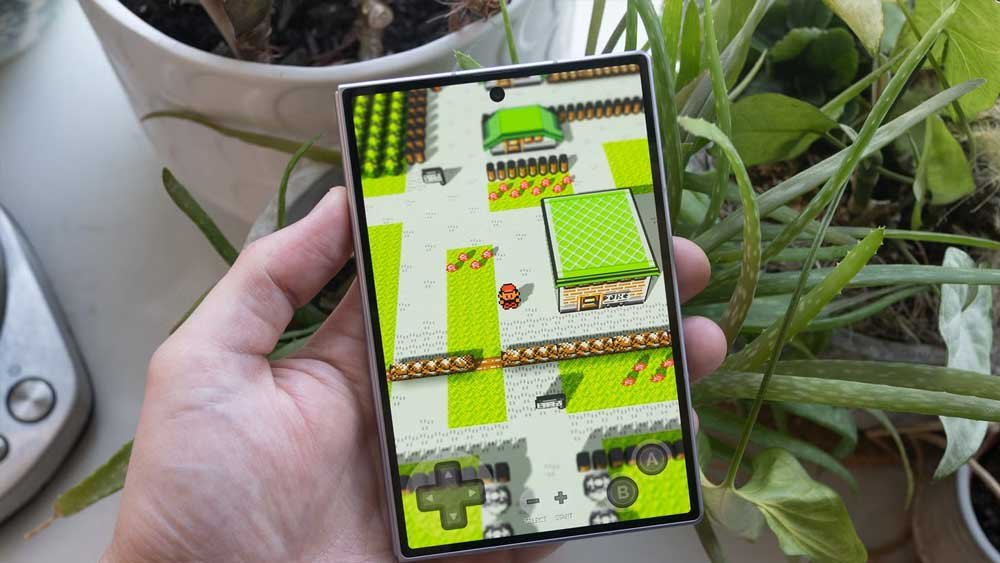
Android Setup Guide
- Install the App: Download
gen1recomp-0.1.91-android.apkand install it on your device. - Import the ROM: Open the app, grant the requested storage permissions, and select your Pokémon
.gbfile. - Import the 3D Mod:
- Tap the options menu icon (three dots) inside the app launcher.
- Select “Import mod.zip” and choose the
Dramatic Shape.ziparchive.
- Activate 3D Graphics: Boot the game, open the native mod options menu, and switch the visual style to Voxel. The environment will immediately render in 3D.
Cross-Platform Setup Guides
iOS Setup Guide (iPhone / iPad)
Because the application is not available on the official App Store, installation requires sideloading:
- Download the IPA: Obtain the
gen1recomp++-0.1.91-ios.ipafile. - Sideload to Device: Use AltStore, SideStore, or Sideloadly via PC or Mac to sign and install the app package on your iOS device.
- Import Assets: Open the application, grant storage permissions, and import both your ROM
.gbfile and theDramatic Shape.zipmod through the built-in file selector.
Xbox Setup Guide (Xbox One / Series S / Series X)
Requires
gen1recomp-0.1.91-xbox-uwp.zipand an Xbox console configured in Developer Mode.
Option 1: External Storage Setup (USB Drive)
- Extract the
gen1recomp-0.1.91-xbox-uwp.ziparchive on your PC. - Open the Xbox Device Portal in your PC browser, then deploy the
.msixfile along with the packages located in theDependenciesdirectory. - Transfer your legitimate ROMs and mod
.zipfiles onto a USB drive and connect it to your Xbox console. - Launch Gen1Recomp on Xbox, select Import ROM or Import Mod, and navigate using the console’s file picker.
Option 2: Internal Storage Setup
- On your PC, create a folder named
baseromsand place your.gbROMs inside. Compress this folder into a.zipfile. - Boot Gen1Recomp on your Xbox once to initialize internal local directories, then close the app.
- Access the Xbox Device Portal via browser and upload your compressed archive to:Plaintext
Gen1Recomp/LocalState/pokemon-love2d/ - Confirm extraction within the portal.
- Relaunch Gen1Recomp on your Xbox. The launcher will automatically detect the internal ROM.
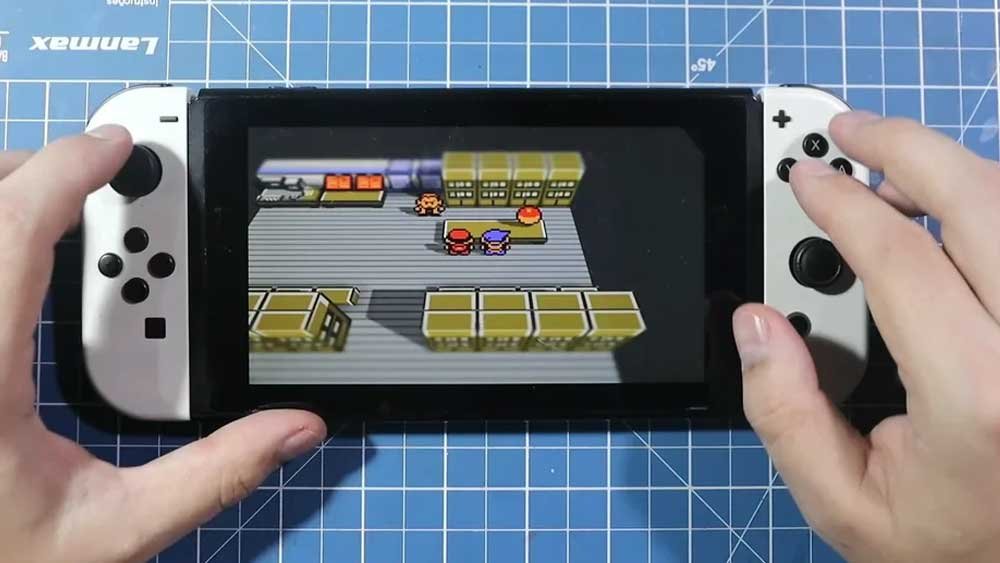
Nintendo Switch Setup Guide (Homebrew)
- Download the Package: Get
gen1recomp-0.1.91-switch.zip. - Extract Files: Unpack all contents directly onto the root directory of your microSD card.
- Launch via Homebrew: Open the application through the Homebrew Menu (Title-Override mode is strongly recommended to allocate full RAM resources).
- Import ROM & Mod: Use Joy-Con inputs to import the
.gbROM andDramatic Shape.zipmod directly within the app interface.
Linux ARM64 Setup Guide (Raspberry Pi 4/5 & Linux Handhelds)
- Download Binary: Obtain the
gen1recomp-0.1.91-linux-arm64.AppImageexecutable. - Grant Execution Permissions: Open your terminal inside the download directory and run:Bash
chmod +x gen1recomp-0.1.91-linux-arm64.AppImage - Run the Application: Execute the binary via terminal or double-click in your desktop environment:Bash
./gen1recomp-0.1.91-linux-arm64.AppImageFully compatible with complete desktop sessions, Wayland compositors, or headless KMSDRM interfaces.
Retro Handheld Consoles Setup (RG34XXSP / PortMaster)
- Select Package: Download the appropriate build for your firmware:
gen1recomp-0.1.91-rg34xxsp-stockos64-mod.zip(Anbernic RG34XXSP on Stock OS 64-bit)gen1recomp-0.1.91-sbc-portmaster.zip(PortMaster ecosystem)
- Transfer Files: Copy the extracted contents to the
PortsorROMspartition on your microSD card. - Optimize Performance: In-game, navigate to OPTIONS → PERFORMANCE and toggle the preset to LOW or BALANCED to preserve battery life and lock smooth frame rates.
Controls, Hotkeys & Performance Settings
Default Controls & Keybindings
All inputs can be completely remapped inside OPTIONS → CONTROLS.
| Action | Keyboard Input | Controller Input |
| Movement | Arrow Keys / W A S D | D-Pad / Left Analog |
| A Button | Z / Enter / Space | A Button |
| B Button | X / Backspace | B Button |
| Start | Escape | Start |
| Select | Tab / Shift | Back / Select |
Hotkeys
-/=orMouse Wheel: Map Zoom Out / Zoom In1: Toggle Game Speed (Controller:R2accelerates,L2decelerates)2: Cycle Color Palettes3: Cycle Camera Tilt / 3D Angle4: Cycle Zoom Levels5: Toggle Game Boy Color FX (GBC FX)F1/F2: Save State / Load StateF10: Toggle In-Game Mod Manager
Performance Options (OPTIONS → PERFORMANCE)
- HIGH: Unlocks all 3D features, dynamic tilt, and visual effects (Default for Desktop PCs).
- BALANCED: Disables dynamic 3D camera tilt and GBC FX (Default for Mobile Devices).
- LOW: Disables dynamic zoom and caps FPS (Recommended for low-power ARM Retro Handhelds).
- AUTO: Automatically sets rendering parameters based on detected system hardware.
Key Highlight Features
- Local Multiplayer Link: Access
START>LINKto establish a direct local network connection (UDP) between two running instances for trades and PvP battles. - External Save Editor: Modify Pokédex entries, inventory items, PC boxes, and Pokémon stats by directly editing the plain-text
.luasave files.